
Preventive Maintenance
Schedule, track, and complete preventive maintenance across all your equipment with automated work orders that keep machines running and compliance records audit-ready.
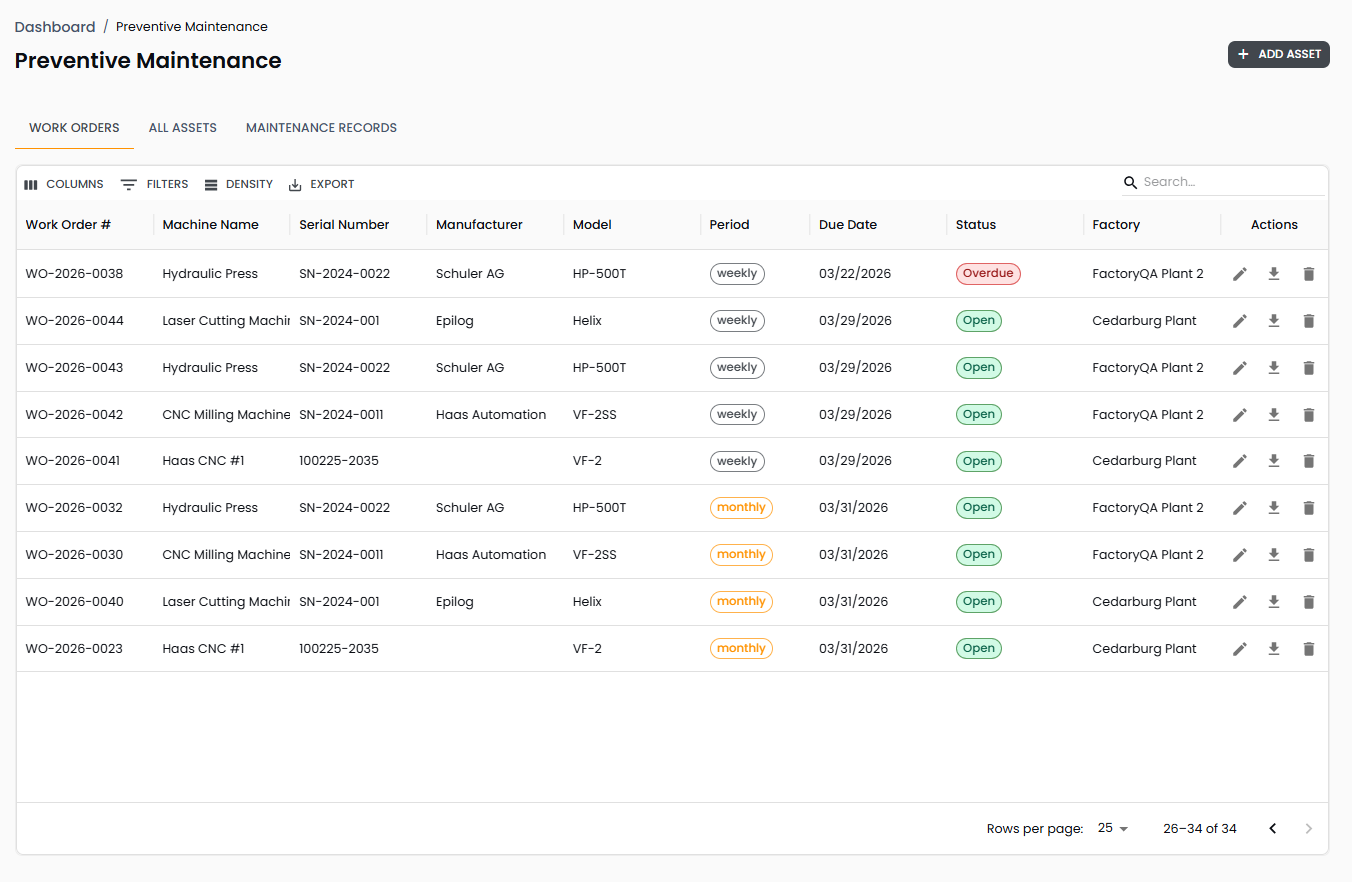
Keep Equipment Running Before It Breaks
Move from reactive repairs to planned maintenance — schedule recurring tasks, generate work orders automatically, and track compliance across every asset on every factory floor.
Complete Asset Registry
Every piece of equipment tracked with its maintenance history, location, and current status.
- Asset profiles linked to factory, zone, and equipment location with manufacturer, model, and serial number details
- Status tracking — Active, Needs Repair, Inactive — so you always know which assets are operational
Automated Work Order Generation
Define maintenance tasks once and let the system generate work orders on schedule.
- Configurable task frequencies — daily, weekly, monthly, quarterly, semi-annually, or annually — with automatic work order creation
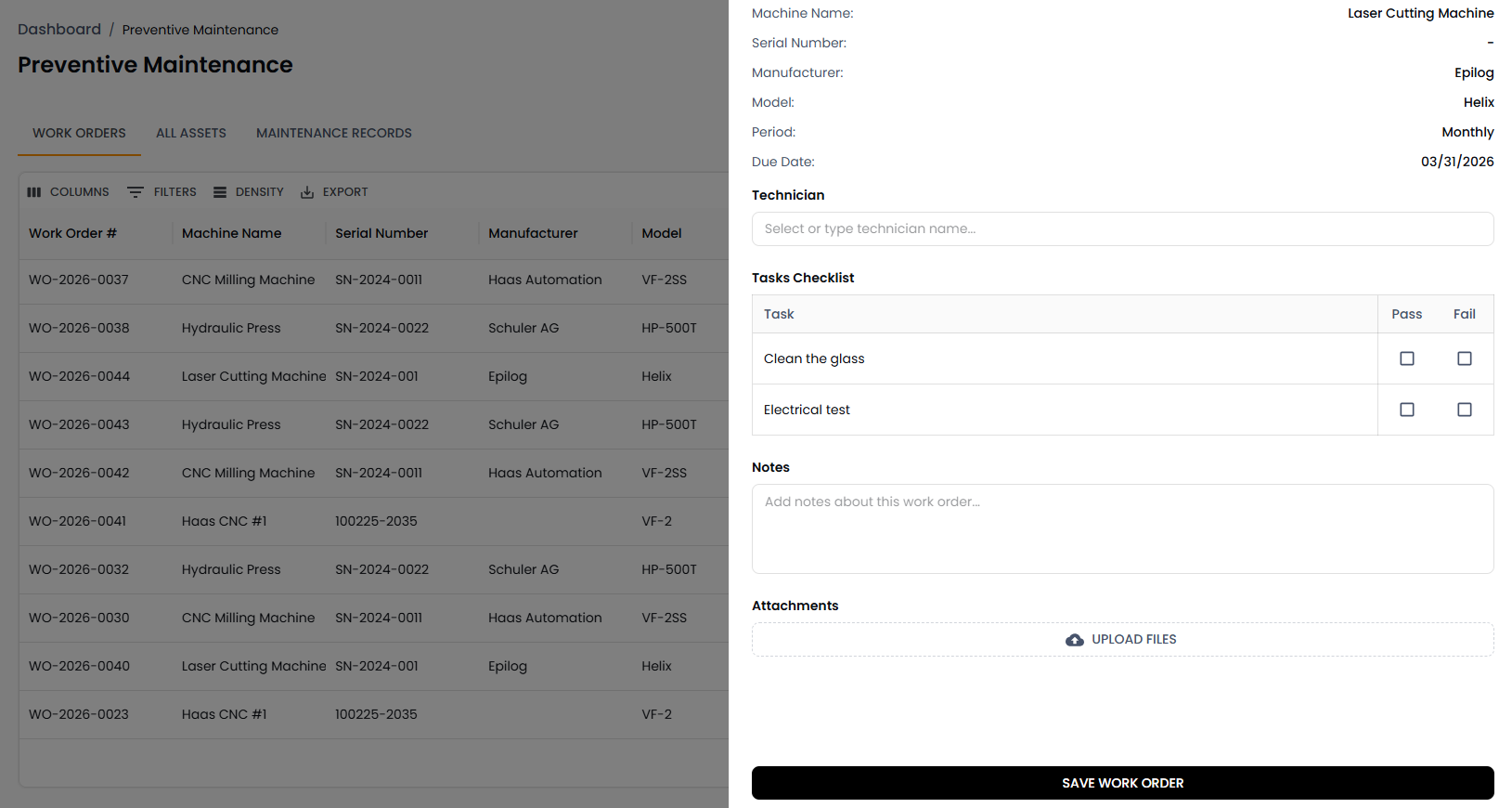
- Work orders include task checklists, assigned technicians, due dates, and file attachment support
PM Compliance Tracking
Measure how well your team is keeping up with the maintenance schedule.
- Real-time compliance percentage calculated from on-time completions versus total scheduled work orders
- Dashboard metrics showing overdue work orders, completed this month, and compliance trends over time
Multi-Factory Visibility
Manage maintenance across all your facilities from one place.
- Factory filter scopes the asset list, work orders, and metrics to any individual site or your entire organization
- Assets needing attention are surfaced automatically based on overdue work orders and repair status
Maintenance Tasks & Work Orders
Define recurring maintenance tasks on any asset and let FactoryQA generate work orders automatically at the configured frequency. Each work order includes a checklist of task items that technicians mark as completed, with space for comments, technician assignment, and file attachments for photos or documentation. When a work order reveals a problem, technicians can log repair notes directly on the record and trigger a follow-up action item.
Key Features:
- Configurable task scheduling — Create maintenance tasks with daily through annual frequencies, each with optional automatic work order generation, detailed instructions, and active/inactive status control
- Work order checklist execution — Technicians work through task items on each work order, marking individual items complete, adding comments, and uploading supporting photos or documents
- Technician assignment and tracking — Assign work orders to specific technicians from your employee list, with completion timestamps and technician name recorded on every finished order
- Repair escalation — Log repair notes on any work order that uncovers an issue, with the ability to create linked action items that flow into the tasks module for follow-up tracking
Dashboard & Compliance Reporting
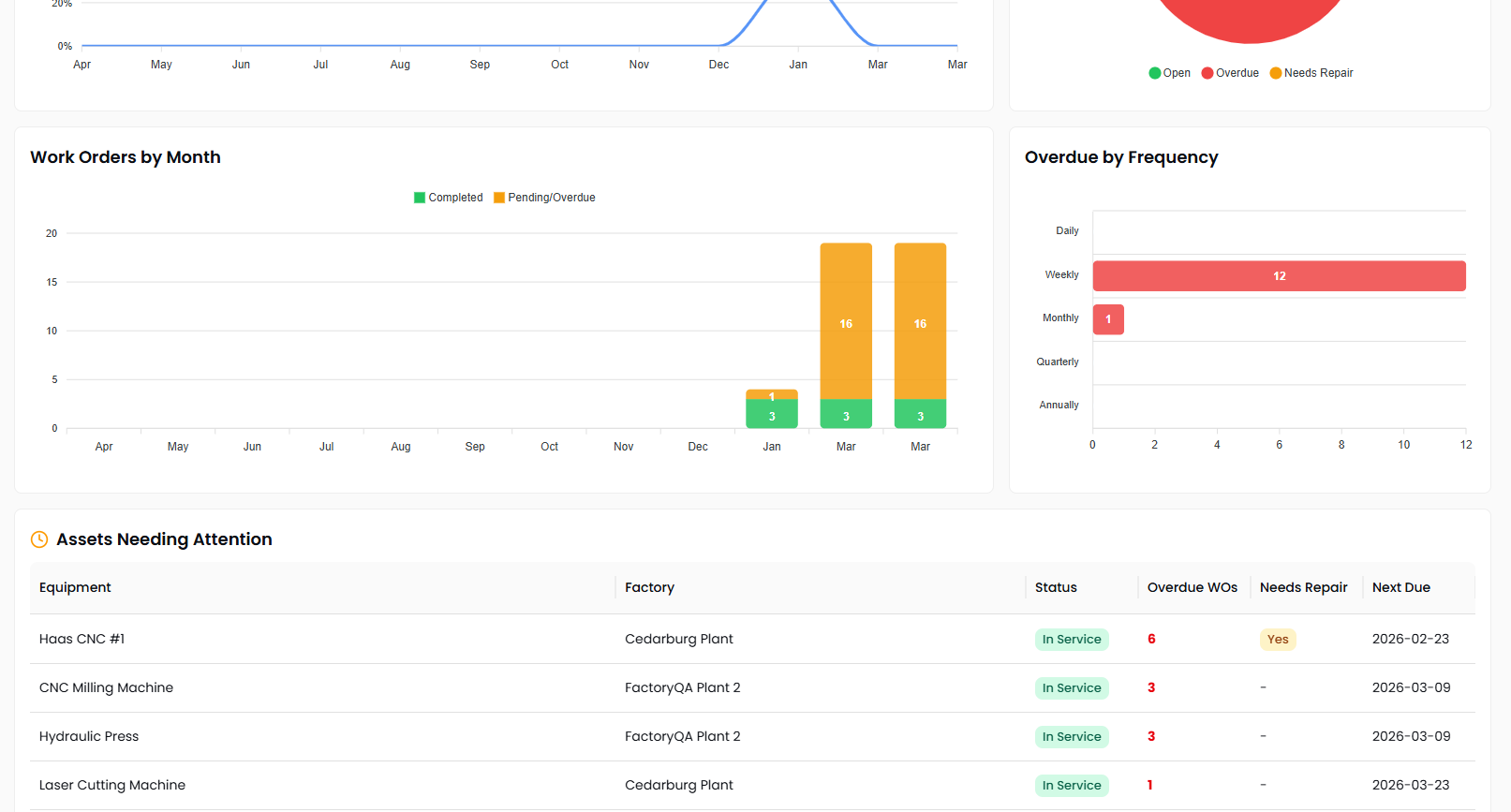
Get a real-time picture of your maintenance program's health from the Preventive Maintenance dashboard. Stat cards show total assets, overdue work orders, PM compliance percentage, and completions this month. Trend charts track compliance and work order volume over time, while a breakdown by frequency highlights where overdue maintenance is concentrated. An assets-needing-attention table surfaces equipment with overdue work orders or repair flags, so your team knows exactly where to focus.
Key Features:
- PM compliance trending — Track your on-time maintenance completion rate month over month with year-over-year comparison to measure program improvement
- Work order volume analysis — Visualize completed versus pending work orders by month to identify capacity constraints and seasonal maintenance patterns
- Overdue breakdown by frequency — See which maintenance frequencies — daily, weekly, monthly, quarterly — have the most overdue work orders so you can prioritize catch-up efforts
- Assets needing attention — Automatically surfaced table of equipment with overdue work orders or active repair flags, with one-click navigation to the asset detail page