
Task Management
Assign, track, and complete every quality action — from corrective actions to audit findings — with a task management system that keeps your team aligned and accountable.
Keep Every Action Item Moving Forward
Stop losing track of who owes what by when — manage all quality-related tasks in one place with clear ownership, priority levels, and deadline visibility across your entire team.
Unified Task Hub Across Modules
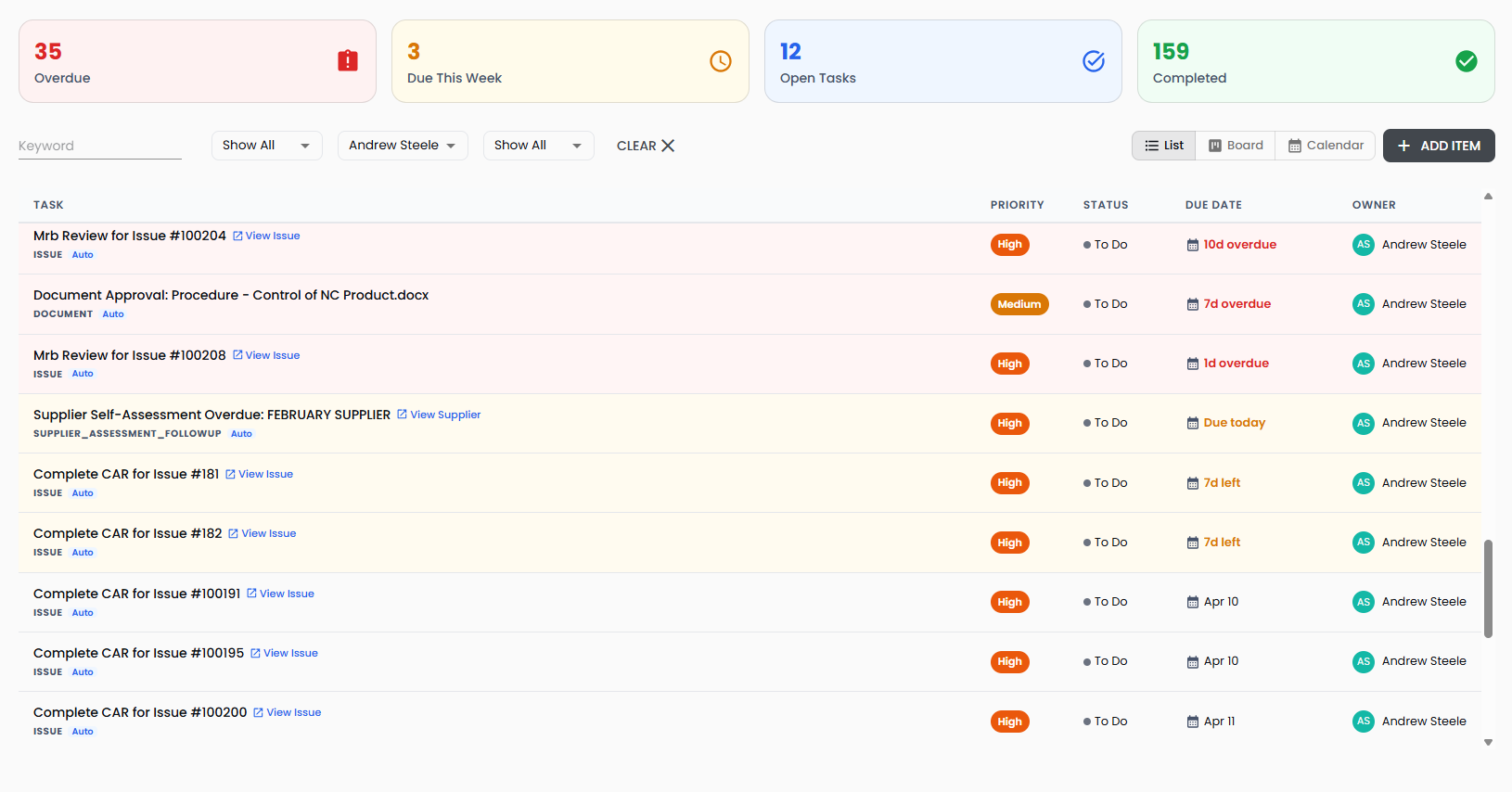
Every action item from every module flows into a single, filterable view.
- Tasks automatically created from issues, audits, document reviews, management reviews, COTO logs, and LMS activities all appear in one consolidated workspace
- Filter by category, owner, priority, or keyword to instantly find the tasks that matter
Flexible Views for Every Work Style
See your tasks the way that works best for your team.
- Switch between list view, drag-and-drop Kanban board, and calendar view with one click
- Summary cards show overdue, due this week, open, and completed counts at a glance
Priority-Based Urgency Tracking
Focus your team's attention on what matters most right now.
- Four-level priority system — Urgent, High, Medium, Low — with color-coded visual indicators
- Automatic urgency classification highlights overdue tasks and items due within seven days
Cross-Module Traceability
Every task links back to the quality event that created it.
- Direct navigation links from any task to its source issue, audit, document, or review
- Automated tasks created by the system are clearly labeled and linked to their originating workflow
Task Assignment & Lifecycle Management
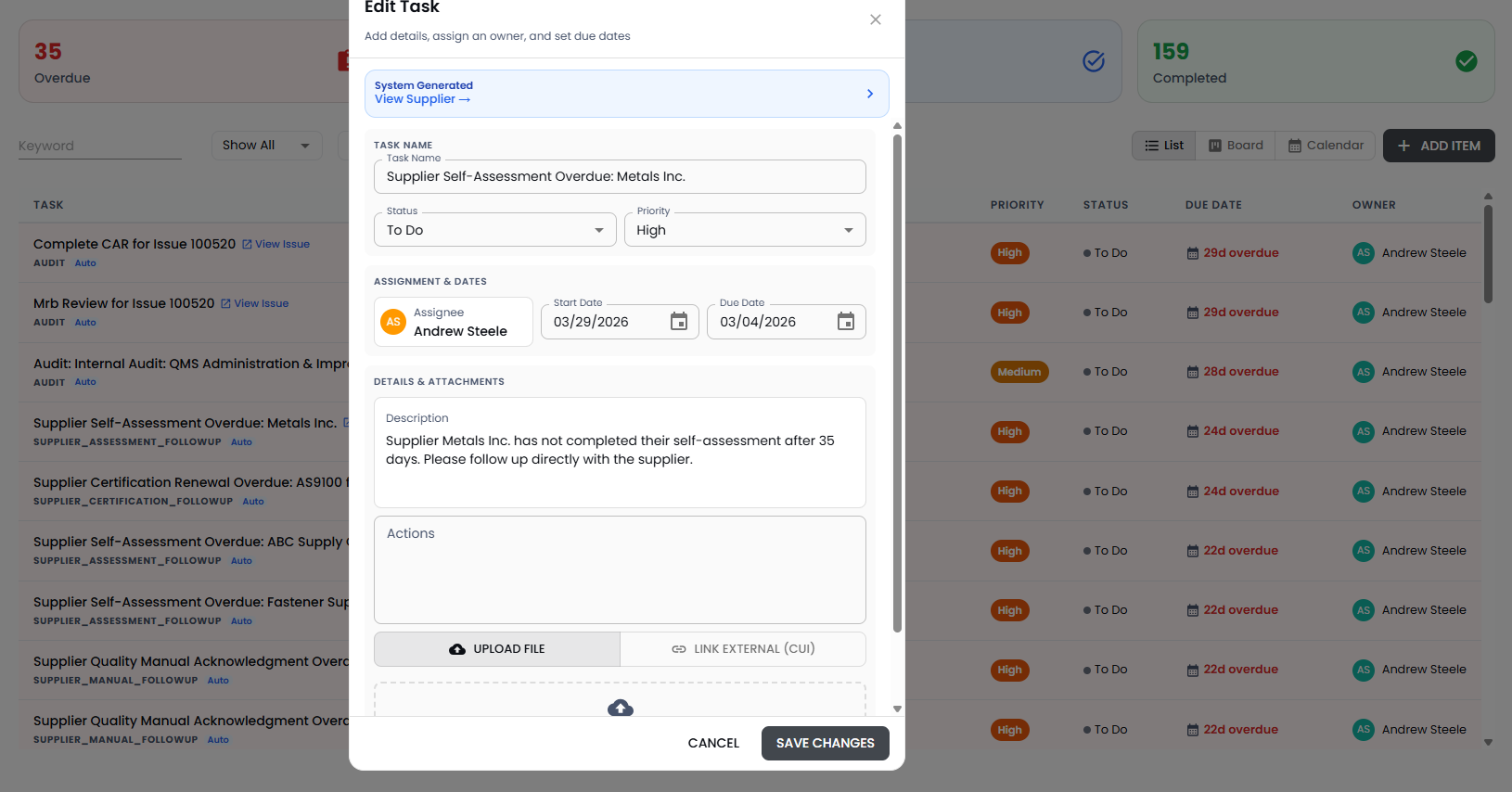
Create tasks manually or let the system generate them automatically when quality events occur — issues requiring corrective action, audits with findings, documents needing review, or management review action items. Each task captures a title, detailed description, assignee, due date, start date, and priority, giving your team everything they need to act. Tasks progress through a clear lifecycle — To Do, In Progress, and Done — with drag-and-drop status updates on the Kanban board or inline edits from the list view.
Key Features:
- Automated task creation — Standard tasks are automatically generated when issues are created, audits are completed, or documents require review, with configurable owners and due dates
- Owner assignment and reassignment — Assign tasks to any team member and reassign as needed, with notification alerts sent on ownership changes
- File attachments and external links — Attach supporting documents, photos, or link to external resources directly on any task for complete context
- Task deletion controls — Only administrators and task creators can delete manually created tasks, while system-generated tasks remain protected to preserve workflow integrity
Visibility & Reporting
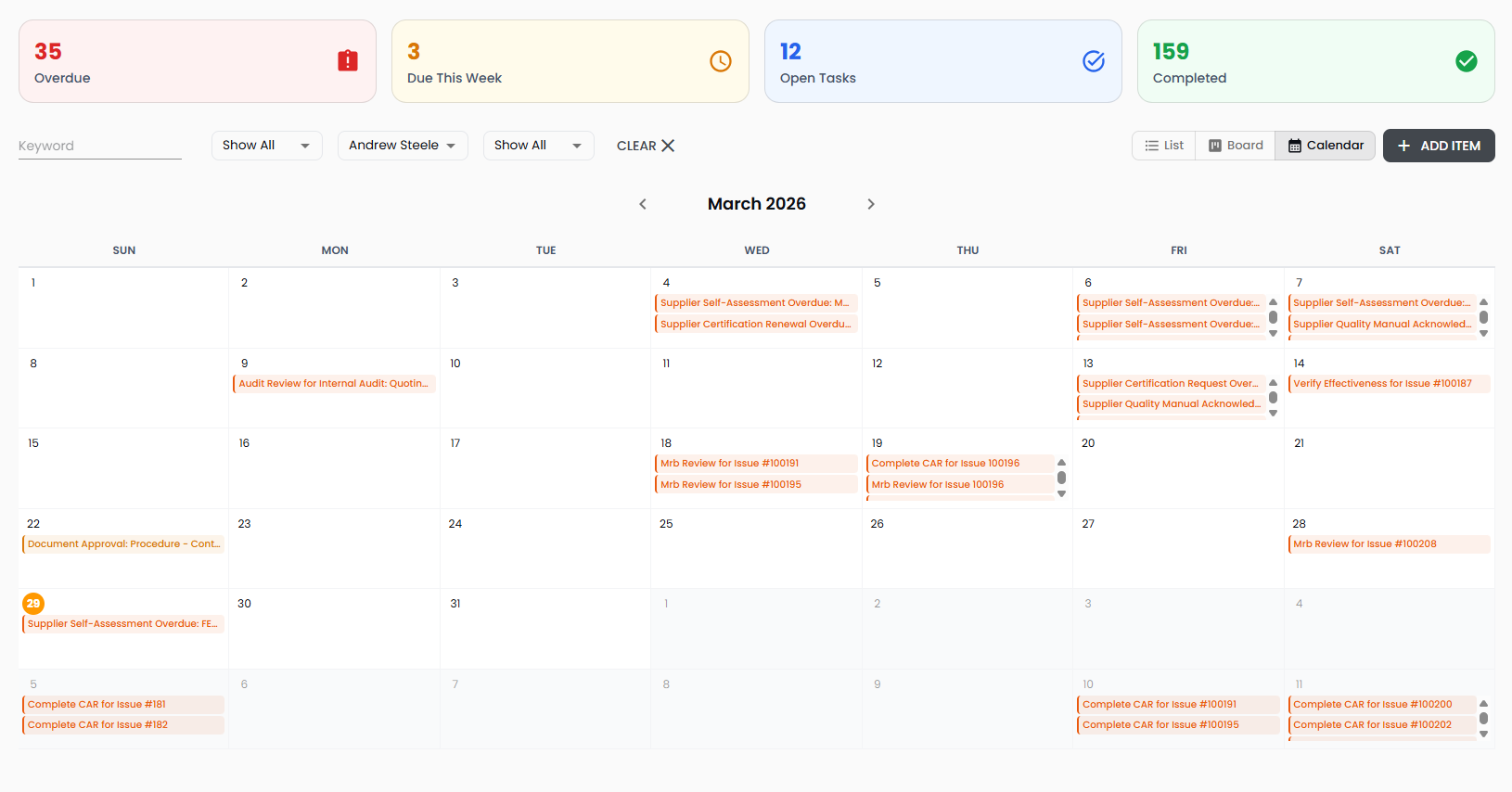
Get a real-time picture of your team's workload, bottlenecks, and completion trends without running a single report. The summary dashboard shows overdue, due soon, open, and completed task counts with clickable filters that instantly narrow the view. The calendar view plots tasks by due date so you can spot deadline clusters before they become a problem, while the Kanban board gives managers and team leads a visual snapshot of work distribution across stages.
Key Features:
- Summary dashboard cards — Clickable metric cards for overdue, due this week, open, and completed tasks that double as instant filters for the task list below
- Kanban board with drag-and-drop — Move tasks between To Do, In Progress, and Done columns with a single drag action that automatically updates status in the system
- Calendar view — Visualize all tasks on a monthly calendar by due date, color-coded by priority, to identify scheduling conflicts and balance workload
- Source-linked navigation — Every automated task includes a direct link back to its originating issue, audit, document, or review, so context is always one click away