
Inspection and SPC software
Inspection is FactoryQA's inspection and statistical process control module: sheets built from the ballooned drawing, readings graded as they are entered, real-time SPC and AS9102 first articles.
Included on ProMeasure once. Know immediately.
Readings graded as you type
Inspectors type readings into a sheet built from the drawing, on any device. Each characteristic shows Pass or Fail as it is entered, and a failed reading leads straight to Create issue.
- Sheets generated from the drawing
- Pass or Fail on every characteristic
- A failed reading becomes an issue
Inspection starts with the drawing.
Balloons become characteristics, characteristics become sheets, readings feed SPC, and anything out of spec becomes an issue.
Spot drift as readings come in
Keep entering readings as usual and every point is graded against frozen control limits. When a rule fires, an alert goes out so someone can act.
- Every reading graded
- Frozen control limits
- An alert when a rule fires
Show customers your process is capable
Pick a part and characteristic for a histogram, normal curve and Cp and Cpk, ready to share with customers.
- Histogram and normal curve
- Cp, Cpk, Pp and Ppk
- Any part and characteristic
AS9102 first articles without retyping
Run the AS9102 first article sheet and Forms 1, 2 and 3 fill in from the ballooned drawing and its characteristics.
- Forms 1, 2 and 3
- Filled from the drawing
- Ready for your customer
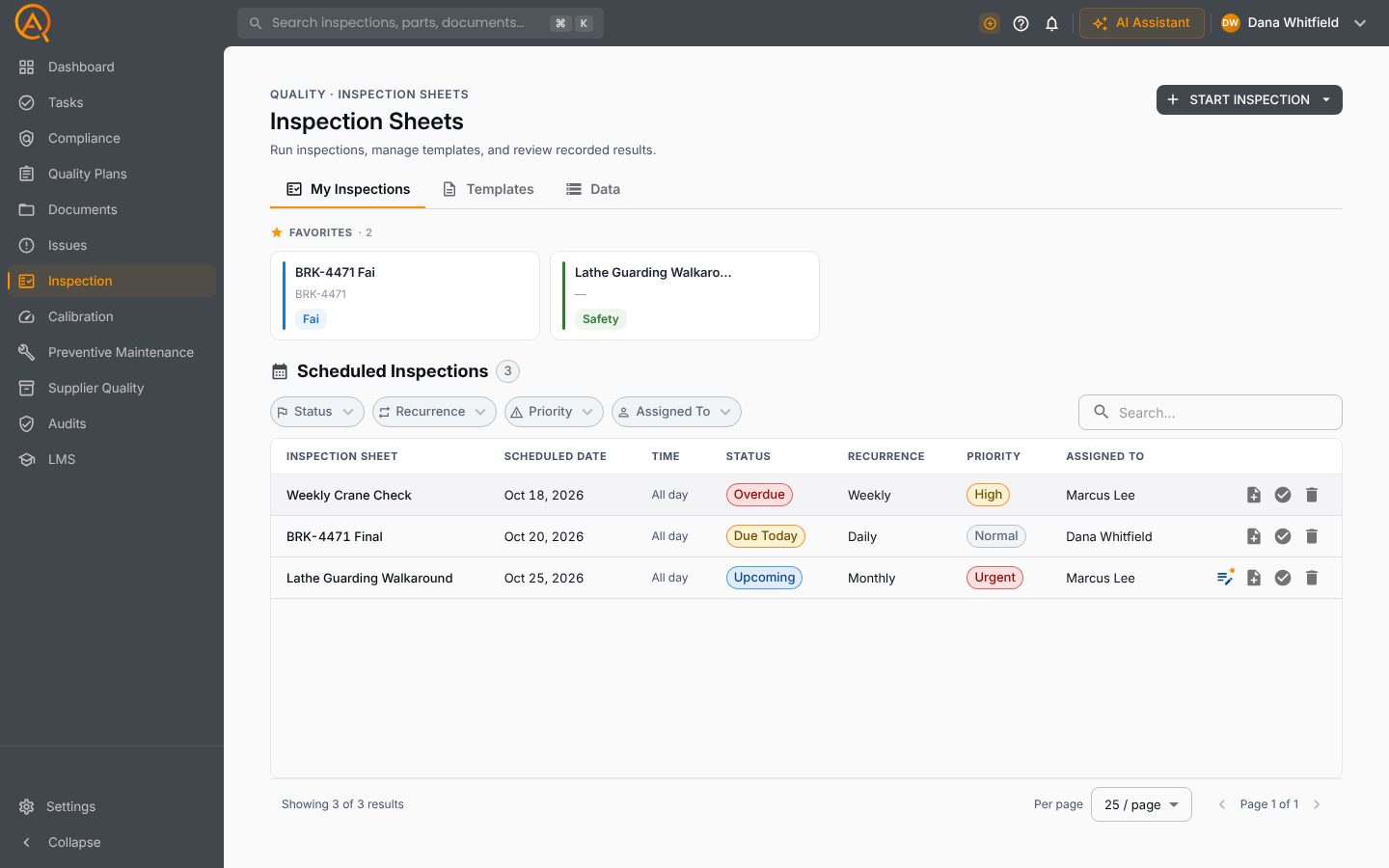
Inspection Sheets, as your team sees them.
Favourites, scheduled inspections, templates and data in one place.
Everything else you'd expect.
The full feature list, grouped by the job it does.
Sheets and schedules
- FAI, Setup, Incoming, In Process and Final sheets from the drawing
- Checklist sheets for safety, equipment and maintenance
- Nine sheet types
- Minor and major revisions with a reason code
- Compare sheet revisions
- Favorites and a searchable template list
- Schedules once or daily, weekly, monthly or quarterly
- My Inspections for each inspector
Recording results
- A reading for every sample, variable or attribute
- Each reading graded against frozen control limits as you type
- Save a draft and finish later
- Photos and comments on checklist answers
- AS9102 Forms 1, 2 and 3, and Delta-FAI
- Out-of-tolerance results raise an NCR or CAR
- Admin corrections with a reason and edit history
Analysis and exports
- SPC filtered by work order, machine, operator or instrument
- Rule signals, alert causes and relocked limits
- Real-time SPC alerts with quiet hours
- Cp, Cpk, Pp and Ppk
- Inspection overview with pass rate and first pass yield
- Entry PDF and Excel, and a certificate of analysis
- Blank PDF forms and the SPC report
AI in Inspection.
Each tool drafts inside Inspection, on your records. A person approves every change.
Recommendations per inspection sheet.
Connected to every other module.
See Inspection on your own parts and records.
Free plan · Basic $40 · Pro $60 per standard user per month · 14 days of Pro to start