
Calibration management software
Calibration is FactoryQA's gage and calibration management module: a register of every gage and reference standard with due dates, certificates, custody, QR labels and Gage R&R.
Included on Basic and ProEvery gage, always known.
A register that updates itself
Enter the As Found readings and save. The status and next due date come from the newest record, the certificate is stored with it, and out-of-calibration reference standards are refused.
- Due dates set by the latest record
- Certificates stored with each record
- Traceability checked
Every gage follows the same cycle.
Reminders go out before a gage is due, the calibration record sets the next date, and the QR label always shows the current status.
Scan to know if a gage can be used
Every gage gets a QR label. Scan it with a phone and a banner says whether it can be used, with its due date.
- A QR label on every gage
- Status on any phone
- No login needed to check
Always know where a gage is
Check a gage out to a person and place with a due-back date, and check it in when it returns. Transfers between locations are logged too.
- Check out and check in
- Due-back dates
- Transfers logged
Prove your measurement system
Set up a Gage R&R study, enter the readings and get repeatability, reproducibility and %GRR, alongside the gage's calibration history.
- Repeatability and reproducibility
- %GRR calculated
- Next to the calibration history
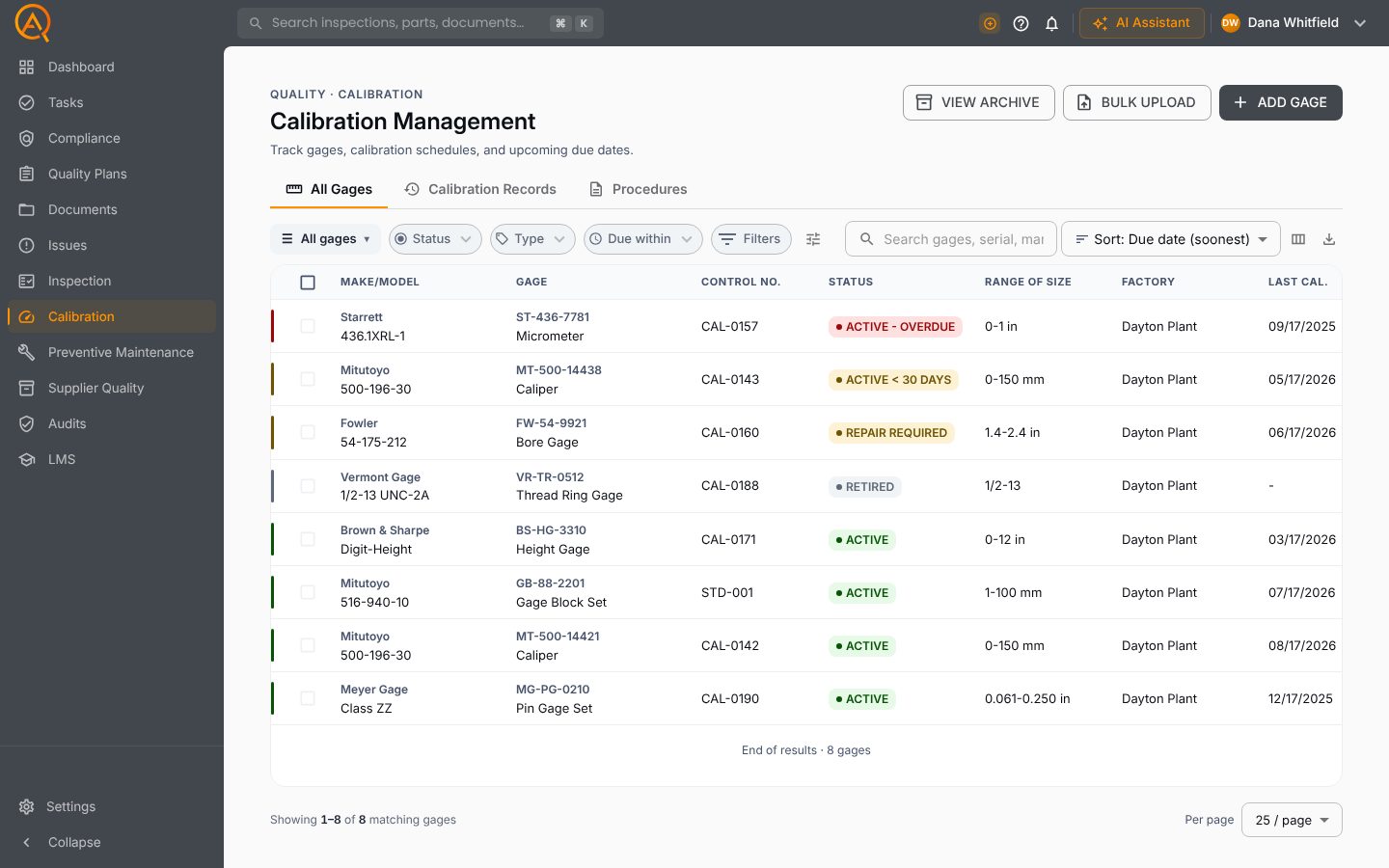
Your calibration register.
Every gage with its status, due date, location and last calibration.
Everything else you'd expect.
The full feature list, grouped by the job it does.
The register
- Add gages blank, from a gage model or as a copy
- Gage types and models that fill in new gages
- Bulk upload gages with their calibration history
- Status and due date from the newest record
- Gages marked calibration not required
- Archive and restore retired gages
- Inventory mode with buy-or-rent analysis
Calibrating
- Procedures with checkpoints and tolerances, AI-drafted if you like
- As found and as left readings
- Reference standards and environment on every record
- Numbered certificates of calibration, filed in Documents
- Batch import of vendor certificates
- Record corrections with a reason kept
- Gage R&R with %GR&R, %Tolerance and distinct categories
Custody and reporting
- Check out and check in, with late returns
- Block checkout of overdue gages
- Transfers and a movement log
- Labels for P-touch, QL, Zebra, DYMO and Avery
- Scan a QR label to check status, check out or transfer
- Reminder emails and custom reminder rules
- Calibration dashboard and on-time report
- Reports emailed daily, weekly or monthly
AI in Calibration.
Each tool drafts inside Calibration, on your records. A person approves every change.
Checkpoints and tolerances.
A second opinion on the calculation.
A second opinion on the purchase.
See Calibration on your own parts and records.
Free plan · Basic $40 · Pro $60 per standard user per month · 14 days of Pro to start